Workday Schedule to Calendar Converter
Tutorial
- Open Workday and navigate to your "Current Classes" page
- Click Export to Excel and download the exported file
- Upload the downloaded file above
- Set the semester dates, default date is filled for Fall 2025 in WUSTL
- Click Parse Excel File to generate your class events and review them for accuracy
- Once you've confirmed the events, you can download the ICS file and import it to your calendar app (Example: import ICS to Google Calendar)
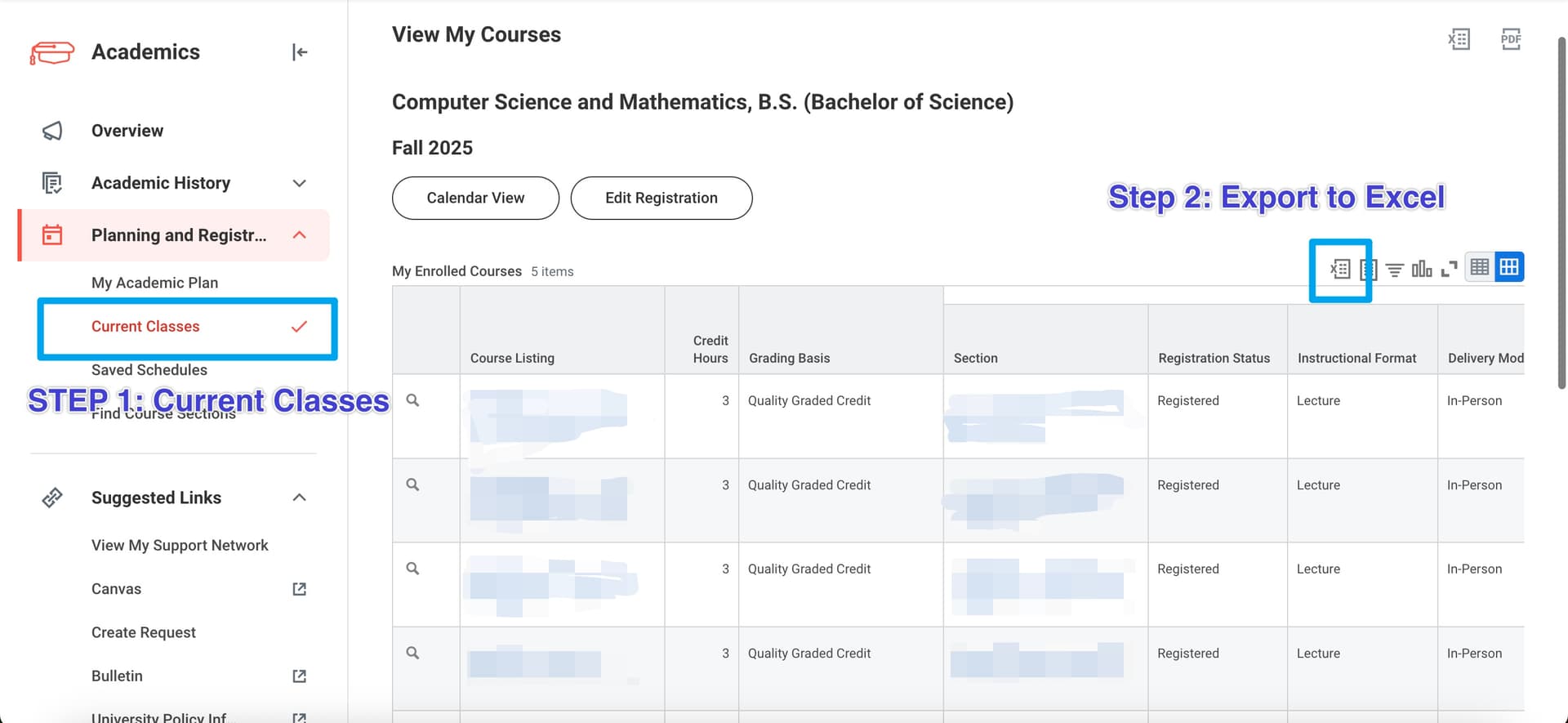
Credit: Original instructions
Upload Excel File
Description
This tool is designed to convert your Workday schedule to a calendar format that can be imported into most calendar applications.
The tool is inspired by Workday2Calendar Repo and Workday2Calendar. It is suffering to read pure html code and I use my own method to parse the excel file.